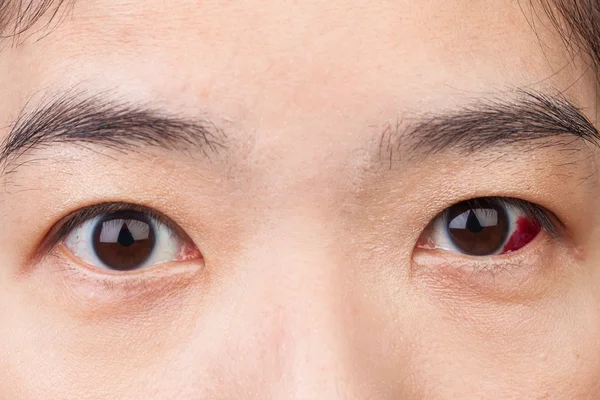

You finish work, close your laptop and realise your eyes feel heavy, dry or uncomfortable. Yet you can still read messages clearly and see distant objects without difficulty. So, what is causing the discomfort? This may be related to computer vision syndrome, also known as digital eye strain. Prolonged screen use can leave your eyes feeling tired even when your eyesight seems perfectly normal.
Key Takeaways
- Clear vision does not necessarily mean your eyes are comfortable during prolonged screen use.
- Reduced blinking and sustained focusing can contribute to dryness, eye fatigue and headaches.
- Screen-related discomfort may also be influenced by lighting, screen position and uncorrected vision problems.
- Regular breaks and simple changes to your workspace may help reduce eye strain.
- Persistent symptoms or sudden changes in vision warrant an appropriate eye assessment.
How Can My Eyes Feel Tired If I Can Still See Clearly?
Looking at a screen places different demands on your eyes compared with looking at objects at varying distances throughout the day. When you work on a computer, your eyes must maintain focus at a relatively fixed distance. The muscles involved in focusing remain active, particularly during prolonged periods of close work. Meanwhile, concentrating on text or spreadsheets can cause you to blink less frequently. Blinking helps spread tears across the surface of your eyes, keeping them lubricated. When blinking becomes less frequent or incomplete, your eyes may feel dry, gritty or irritated.
Some common symptoms of digital eye strain include,
- Tired, aching or burning eyes.
- Dryness, watering or a gritty sensation.
- Temporary blurred vision or difficulty refocusing.
- Headaches, particularly after prolonged close work.
- Discomfort around the forehead or eyes.
You do not need to experience all these symptoms for screen use to be contributing to your discomfort.
When is a new floater worth taking seriously?
The change is often more useful than the floater itself. For example, there is a difference between occasionally noticing one familiar floater and suddenly seeing many new spots or strands.
New floaters can sometimes occur when the vitreous pulls away from the retina, a process known as posterior vitreous detachment. This can happen with ageing and does not necessarily mean that the retina has been damaged. However, the traction involved can sometimes cause a retinal tear.
A retinal tear may progress to retinal detachment, which can affect vision and requires urgent medical attention. You should consider seeking prompt eye assessment if floaters appear suddenly, especially if they occur with,
- Flashes of light in your vision
- A sudden increase in the number of floaters
- A dark curtain, veil or shadow across part of your vision
- A noticeable loss or reduction of vision
These symptoms do not automatically mean you have a retinal tear or detachment. They do mean that an examination is appropriate rather than simply waiting to see whether the symptoms disappear.
Is It Really Screen Time, or Could Something Else Be Happening?
It is easy to blame every episode of eye fatigue on the number of hours spent looking at a screen. However, the duration of screen use is only part of the picture.
Your working environment and existing vision needs can also influence how your eyes feel.
For example, small text may encourage you to lean towards the screen or squint. Glare from windows or overhead lighting can make reading uncomfortable, while a screen positioned too close or too far away may contribute to poor posture and visual discomfort.
Other possible factors include,
- Uncorrected vision problems- Refractive errors, such as astigmatism or long-sightedness, may contribute to eye strain.
- Dry eye- An underlying tear-film problem can make prolonged screen use less comfortable.
- Focusing difficulties- Some people experience difficulty maintaining focus or coordinating their eyes during close work.
These causes can overlap. If discomfort keeps returning despite changes to your screen habits, an eye assessment can help determine whether another issue needs attention.
What Can You Change During Your Working Day?
You may not be able to reduce your screen time significantly, especially if your job requires several hours of computer work. However, small adjustments can make your working day more comfortable.
You should consider these practical steps,
- Follow the 20-20-20 rule- Every 20 minutes, look at something approximately 20 feet away for at least 20 seconds. This provides a short break from sustained close focusing.
- Blink deliberately- Remember to blink fully and regularly, particularly when concentrating on detailed work.
- Adjust your screen position- Keep your screen at a comfortable viewing distance, with the top of the display at or slightly below eye level.
- Reduce glare- Position your monitor to minimise reflections from windows and overhead lights.
- Make text easier to read- Increase the font size rather than leaning towards the screen.
- Take regular breaks- Briefly step away from close work throughout the day when possible.
These measures may help reduce digital eye strain, but they will not address every possible cause of eye discomfort.
When Should You Get Your Eyes Checked?
Occasional tiredness after a demanding workday may improve with rest and changes to your screen habits. However, persistent discomfort deserves further attention, particularly if it interferes with reading, working or driving.
An optometrist can assess your vision, check for refractive errors and consider whether focusing difficulties or dry eye may be contributing to your symptoms.
Do not assume that recurring headaches or blurred vision are simply the result of screen use. Seek prompt medical attention for sudden vision changes, significant eye pain or a sudden loss of vision.
Frequently Asked Questions
1.Can computer vision syndrome occur even if I do not wear glasses?
Yes. Digital eye strain can affect people who do not need glasses. Reduced blinking, prolonged focusing and environmental factors can cause discomfort regardless of whether you wear corrective lenses.
2. Does using dark mode prevent eye strain?
Not necessarily. Dark mode may feel more comfortable for some people, while others find dark text on a light background easier to read. Appropriate brightness, contrast, text size and lighting are also important.
3. Can computer vision syndrome cause permanent damage to my eyes?
Digital eye strain is generally associated with temporary symptoms such as dryness, discomfort and blurred vision. However, persistent symptoms should not automatically be attributed to screen use, as other eye conditions may require assessment.
4. Are eye drops helpful for screen-related dry eyes?
Lubricating eye drops may help relieve dryness in some people. The appropriate product depends on your symptoms and circumstances. A pharmacist or eye care professional can advise you on suitable options, particularly if you need drops frequently.
5. How long should I rest my eyes after a full day of computer work?
There is no single recovery period that suits everyone. Taking breaks during screen use and allowing time away from close work may help. If your eyes remain uncomfortable after resting, consider an eye assessment rather than relying on rest alone.
Could Your Eyes Be Telling You Something About Your Screen Habits?
Eye discomfort after a full day of screen use is common, but it should not automatically be dismissed as part of working life. Understanding whether the problem relates to dryness, focusing demands, vision correction or another cause can help you decide what to do next.
If your eyes frequently feel tired despite having clear vision, consider arranging an eye assessment with Stan Isaacs Optometrists. Dr. Stan Isaacs can assess your vision and discuss appropriate next steps based on your symptoms and individual needs.
A clearer understanding of your eye health can help you make informed decisions about managing screen-related discomfort and maintaining visual comfort throughout your working day.